 Understanding the real vulnerability in your law firm's remote operations.
Executive Summary
Many small law firms believe that storing sensitive data in the cloud, whether it's email, case files, billing records, or practice management software, automatically means that data is secure. The reasoning seems sound: major cloud providers invest heavily in security, right?
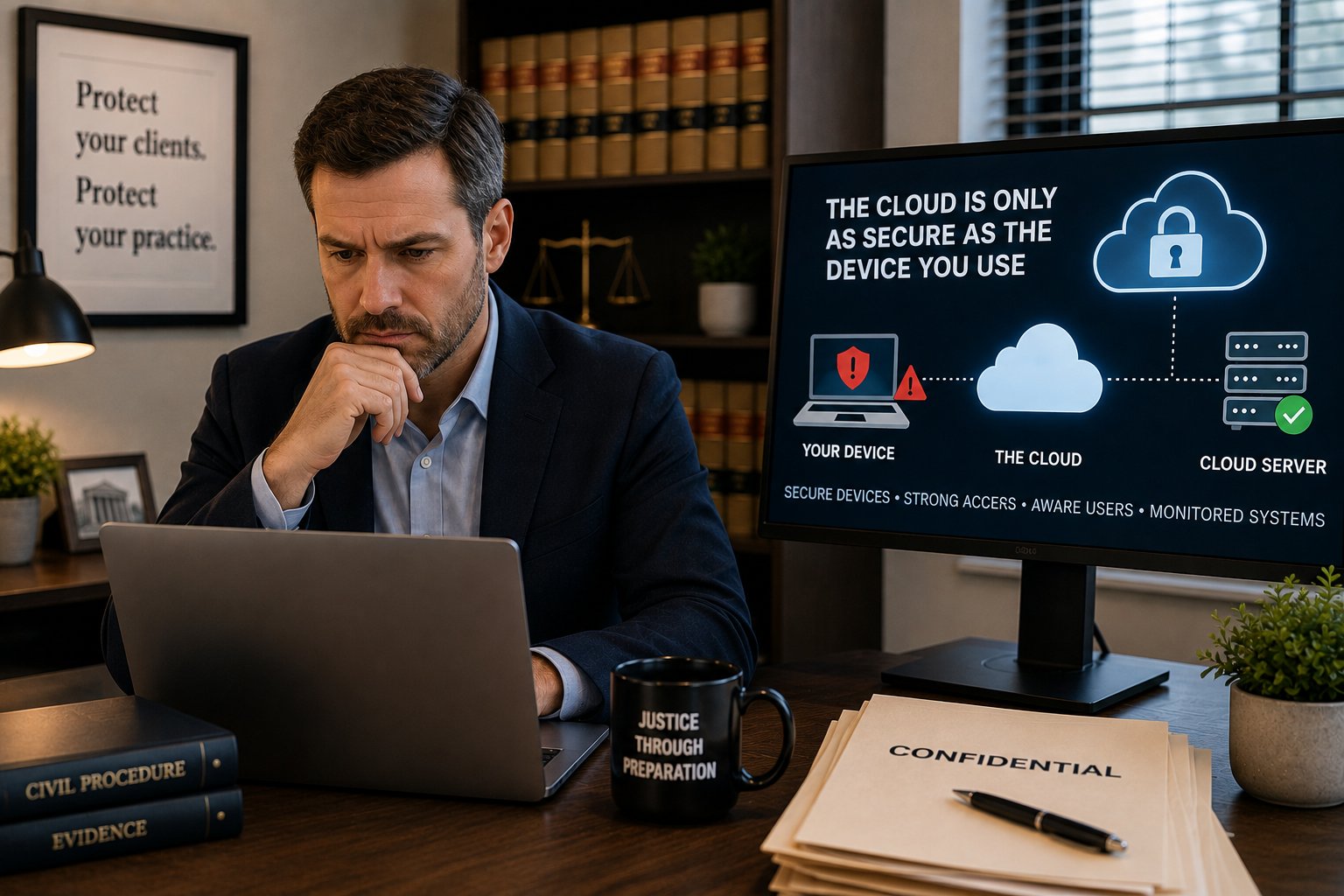
The reality is more nuanced, and it's critical to understand where the real vulnerability lies. The cloud is only as secure as the device you use to access it. This is the gap that most firms don't fully appreciate, and it's where cyber attackers focus their efforts.
Understanding the Disconnect
When we talk with attorneys about their security posture, we hear a common refrain: "Our sensitive information isn't stored locally. It's all in the cloud. Shouldn't we be fine?"
The answer is: partly, but not entirely.
Your practice's critical data (client confidential files, billing information, communications, case details) does live on secure cloud servers maintained by providers like Microsoft 365, Google Workspace, Clio, or other practice management platforms. These providers do implement robust security measures, encryption, and compliance protocols.
But here's what many firms overlook: your cloud data is accessed through your computers, phones, and network. And those devices are where attackers typically gain entry.
The Real Vulnerability: The Device, Not the Cloud
Think about a typical day at your office. An attorney receives an email on her laptop, clicks a link to review a document in SharePoint, accesses billing information through a web browser, and updates a case file in your practice management system. All of that access flows through her device and network connection.
If that device is compromised, through malware, phishing, unpatched vulnerabilities, or weak security practices, the attacker doesn't need to hack your cloud provider. They simply use the legitimate access pathway that already exists.
Real Scenarios We See With Legal Professionals
Scenario 1: The Phishing Attack
A team member receives an email that looks legitimate, maybe it appears to come from your IT support, your cloud provider, or a colleague. They click a link or download an attachment. The attacker captures their login credentials. Suddenly, they have access to your firm's Microsoft 365 account, email, Teams messages, and shared documents. The cloud provider's security is irrelevant; the attacker is using real credentials.
Scenario 2: Malware and Keystroke Logging
A computer running outdated Windows with missing security patches becomes infected with malware. The attacker installs a keystroke logger that captures passwords, two-factor authentication codes, and other sensitive information as team members type. Every cloud account your firm uses becomes accessible.
Scenario 3: Weak Password Practices
A team member reuses the same password across multiple services, their personal email, LinkedIn, and your firm's practice management software. When one of those unrelated services gets breached (it happens constantly), attackers try those credentials everywhere. They gain access to your firm's confidential case files.
Scenario 4: Unsecured Home Networks
With remote work, your team members are connecting from home offices, coffee shops, and travels. If they're using unsecured WiFi or outdated home network security, attackers can intercept authentication tokens and session cookies, effectively logging in as that user without ever knowing the password.
Why the Cloud Provider Isn't the Problem
To be clear: this isn't a failure on the part of cloud providers. Microsoft, Google, Salesforce, and other platforms have security teams far larger than most law firms could ever hire. They maintain data centers with sophisticated access controls, encryption, intrusion detection, and compliance certifications.
The problem is the last mile, the path between your device and their servers. Cloud providers can't protect against someone using legitimate credentials from a compromised device. It's like a bank providing a secure vault but the thief has your keys.
What Actually Matters for Small Law Firms
If cloud storage alone isn't the answer, what is? The real security perimeter for your office includes four critical layers:
1. Device Security
Your computers and phones need to be kept current with security patches, protected with modern antivirus/anti-malware software, and configured with basic hardening (firewall, screen lock, encryption). Many small firms we work with are running Windows versions that haven't been updated in months or years, a significant vulnerability.
2. Access Control
Every cloud service your legal organization uses should be protected with:
- Strong, unique passwords for each service (not the same password repeated across multiple systems)
- Multi-factor authentication (MFA) on every account that supports it, email, practice management software, accounting systems, everything
- Regular access audits to ensure former team members no longer have access
3. Network Hygiene
Your firm's network, whether in-office or distributed, needs basic security practices:
- A properly configured firewall and router
- VPN or secure connection protocols for remote workers
- Basic network monitoring to catch unusual activity
- WiFi security (WPA2 or WPA3 encryption, strong password)
4. User Awareness
Your team members are on the front lines. They need to:
- Recognize phishing emails and suspicious requests
- Understand why they shouldn't click links in unsolicited emails
- Know how to report security concerns
- Appreciate why password security and MFA matter (not just see it as an inconvenience)
The Good News
This isn't complicated or impossibly expensive. Many of these protections are straightforward to implement, especially with guidance. We work with small companies across multiple states, and those that take these four areas seriously rarely experience breaches.
Common quick wins we see:
- Enabling multi-factor authentication across all cloud services (often takes a day)
- Implementing a password manager so team members can use strong, unique passwords without memorizing them
- Setting up automatic Windows and software patching
- Running a basic security audit to identify outdated devices or unpatched systems
- Creating simple security awareness guidelines for your team
Moving Forward
The conversation with your team shouldn't be "Is the cloud safe?" Instead, it should be: "Are our devices, networks, and access practices strong enough to protect our cloud accounts?"
Many firms we work with have discovered vulnerabilities they didn't know existed. The reassuring part? Once you understand the real risks, they're manageable.
If you'd like to explore your office's specific security posture, or if you want a second opinion on where your vulnerabilities might be, we're happy to have a conversation.
The cloud isn't the weak link. Your access to it is. And that's entirely within your control.
About Your Data Security
Every small law firm deserves security practices that match the sensitivity of their client data. We work with legal practices to assess vulnerabilities, implement practical protections, and ensure your team understands why these measures matter. If you'd like to discuss your firm's security needs, we're here to help.
Feel free to give us a call if you have any questions (205)408-0600.